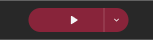
The titlebar's Play button launches a real build of your game so you can test it without leaving the editor.
When the button is pressed it builds and plays from your project's configured start scene (Project Settings → Build tab), skipping splash screens.
Split Button
On the right of the split button is a dropdown menu that allows to you to play the game from different points.
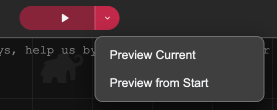
- Preview Current, builds and plays starting from whichever scene is currently open in the Scene Editor window. If no scene window is open, you'll get a warning telling you to open one first.
- Preview from Start, Plays the game from the start including any splash-screens that have been set up.
If no start scene is configured yet, both Play and "Preview from Start" will show a warning telling you assign a scene as the start scene.
Debugging
See Debugging on how to debug a game while in this mode.